
How to Send Me Your Bank Statements
——- the right way, the first time.
After 30 years in the mortgage business, I can tell you the single most common thing that slows down a loan approval: bank statement paperwork that underwriting can't accept. This short guide shows you exactly what I need — and what to avoid — so your loan never breaks stride.
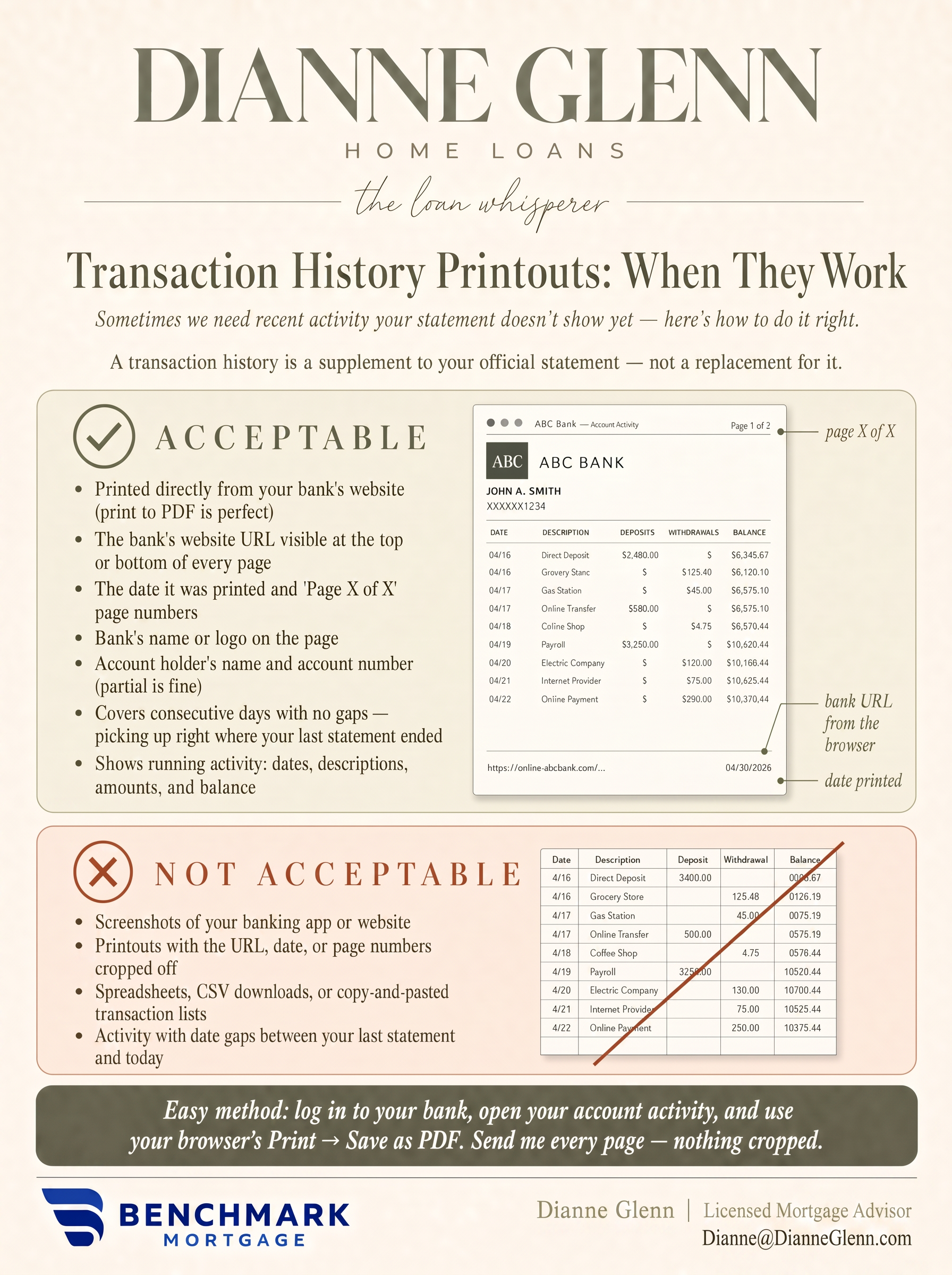
Transaction History Printouts: When They Work
Sometimes we need to see recent activity your latest statement doesn't show yet — for example, a deposit that just cleared. In that case, a transaction history printout can work, but only as a supplement to your official statement — never a replacement for it.
The Quick Answer
- If your bank made it, I can use it.
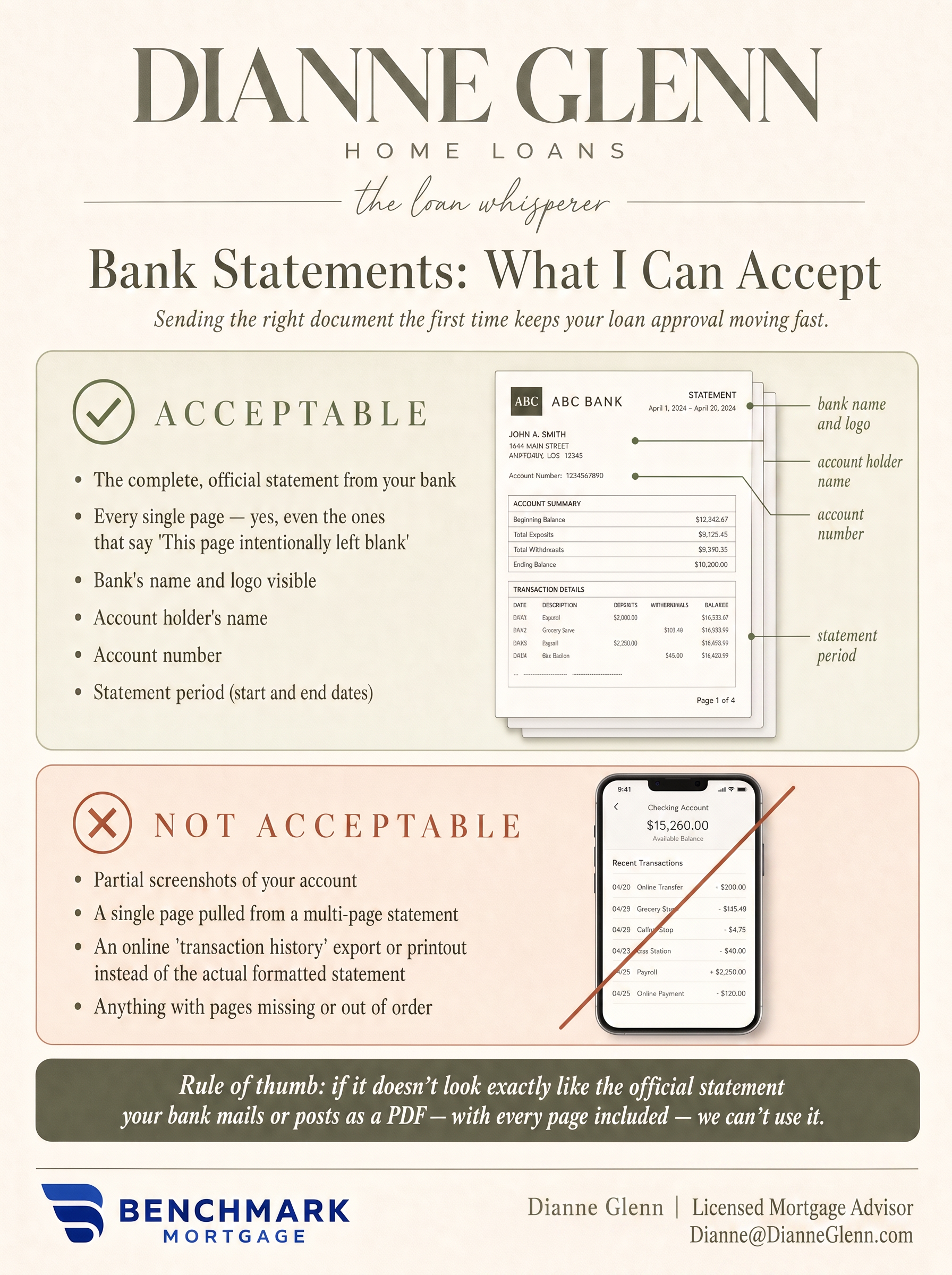
Underwriters need the complete, official statement your bank produces — every page, exactly as the bank formatted it. Not a screenshot, not a summary, not a list of transactions copied from your banking app. When in doubt, log in to your bank's website and download the statement PDF itself.
Rule of thumb: if it doesn't look exactly like the official statement your bank mails or posts as a PDF — with every page included — we can't use it.
Why so picky? It isn't me — it's the underwriting guidelines every lender must follow. A statement that's missing pages (even blank ones) is treated as an incomplete document, and underwriting will send it back. That means another request to you, and days added to your approval. Sending the complete statement once saves everyone the back-and-forth.
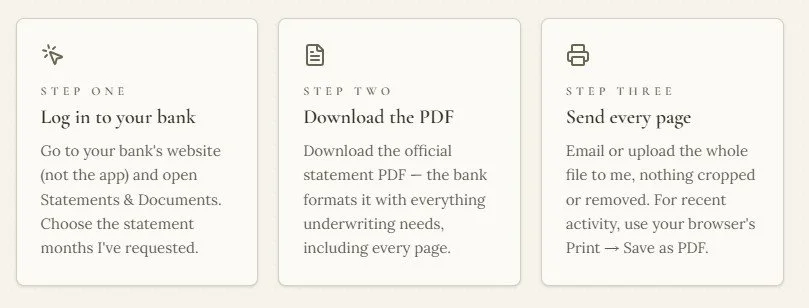
Step by Step
The Two-Minute Way to Get It Right
COMMON QUESTIONS
You’re Not the First to Ask
Why do you need the blank pages? They're blank!
I know it feels silly, but underwriting counts pages. If your statement says "Page 3 of 6" and we only receive five pages, the file is flagged as incomplete — even if the missing page says "this page intentionally left blank." Including every page the first time keeps your approval moving.
Can I just screenshot my balance from my banking app?
Unfortunately, no. Screenshots crop off the details underwriting must verify — your name, the account number, the bank's identifying information, and the full activity period. The official statement PDF from your bank's website takes about the same amount of time and works every time.
My statement doesn't show a deposit that just came in. What do I send?
That's exactly when a transaction history printout helps. Log in to your bank's website, open your account activity starting the day after your last statement ended, and use your browser's Print → Save as PDF. That keeps the bank's URL, the date, and the page numbers on the page — all things underwriting looks for. Send it along with your most recent official statement.
What if I get paper statements in the mail?
Paper statements work beautifully — just scan or photograph every page, in order, making sure all four corners of each page are visible and the text is readable. If your bank branch prints statements for you, ask the teller to stamp each page.
How many months of statements will you need?
Most loans require the most recent two months (or 60 days) of statements for each account we're using to qualify you. I'll always tell you exactly which months and which accounts — and if anything unusual pops up, we'll walk through it together.